Lexmark X950de Guida Utente Pagina 143
- Pagina / 372
- Indice
- RISOLUZIONE PROBLEMI
- SEGNALIBRI


- X950 Series 1
- Contents 2
- Safety information 15
- Learning about the printer 17
- Printer configurations 19
- Basic model 20
- Configured models 20
- Fully configured model 21
- Using the ADF 22
- Using the scanner glass 22
- Learning about the printer 23 23
- Understanding the home screen 24
- 123.123.123.123 24
- Features 26
- Sample touch screen 26
- Other touch-screen buttons 27
- Touch To 28
- Reset values on the screen 28
- Setting up Scan to Network 30
- Setting up My MFP 31
- Understanding WS‑Scan 31
- Click Configure > Import 33
- Additional printer setup 34
- Installing internal options 35
- Accessing the system board 36
- Installing a memory card 37
- Additional printer setup 38 38
- 1 Access the system board 39
- 2 Unpack the card 39
- 1 Plastic pins 40
- 2 Metal pins 40
- 3 Unpack the ISP kit 41
- Additional printer setup 42 42
- Additional printer setup 43 43
- Additional printer setup 46 46
- Additional printer setup 47 47
- Removing a printer hard disk 48
- Installing hardware options 49
- Installing optional trays 50
- 1‑tray module 51
- 3‑tray module 51
- Attaching cables 52
- Verifying printer setup 53
- Printing a network setup page 54
- Setting up serial printing 64
- Use both sides of the paper 66
- Avoid paper jams 66
- Print in black and white 67
- Adjusting Sleep Mode 68
- Using Hibernate Mode 69
- Recycling 70
- 1 Pull the tray out 72
- Envelopes 80
- Transparencies 80
- Linking and unlinking trays 82
- Configuring a custom name 83
- Paper guidelines 84
- Fiber content 85
- Unacceptable paper examples 87
- Supported paper sizes 88
- Finisher 91
- Supported finishing features 92
- Paper transport 93
- Finisher standard bin 93
- Bin 2 (booklet‑maker) 94
- Setting the finisher exit bin 95
- Printing 96
- Using Max Speed and Max Yield 97
- Printing from a flash drive 98
- Printing on specialty media 100
- Tips on using envelopes 101
- Tips on using labels 101
- Tips on using card stock 102
- Printing information pages 103
- For Windows users 104
- For Macintosh users 104
- Making copies 105
- Copying film photos 106
- Copying on specialty media 106
- Customizing copy settings 107
- Copying different paper sizes 108
- Reducing or enlarging copies 109
- Adjusting copy quality 109
- Collating copies 110
- Placing information on copies 112
- Canceling a copy job 112
- Copy from 113
- Darkness 114
- Sides (Duplex) 114
- Advanced Options 115
- Save As Shortcut 115
- E-mailing 116
- Creating an e-mail shortcut 117
- E-mailing a document 118
- Customizing e-mail settings 119
- Canceling an e-mail 120
- Understanding e-mail options 120
- Resolution 121
- Page Setup 122
- Scan Preview 122
- ADF Scanner glass 123
- Initial fax setup 124
- Choosing a fax connection 125
- Connecting to a DSL service 126
- Setting the date and time 128
- Creating shortcuts 129
- Sending a fax 130
- Sending a fax using shortcuts 131
- Customizing fax settings 132
- Canceling an outgoing fax 133
- Understanding fax options 134
- Holding and forwarding faxes 136
- Scanning 138
- Scanning to an FTP address 139
- Understanding FTP options 140
- Scanning to a flash drive 143
- Original Size 144
- Scanning 146 146
- Understanding printer menus 147
- Supplies menu 148
- Paper menu 150
- Paper Size/Type menu 151
- Configure MP menu 154
- Substitute Size menu 154
- Paper Texture menu 154
- Paper Loading menu 156
- Custom Types menu 158
- Custom Names menu 158
- Custom Scan Sizes menu 159
- Universal Setup menu 159
- Bin Setup menu 160
- Reports menu 161
- Network/Ports menu 162
- Network Reports menu 164
- Network Card menu 164
- TCP/IP menu 165
- IPv6 menu 166
- Wireless menu 167
- AppleTalk menu 167
- Standard USB menu 168
- Parallel [x] menu 170
- Serial [x] menu 172
- SMTP Setup menu 174
- Security menu 175
- Confidential Print menu 177
- Disk Wiping menu 177
- Security Audit Log menu 179
- Set Date and Time menu 179
- Settings menu 181
- Copy Settings menu 190
- Fax Settings menu 195
- Fax Send Settings 196
- Fax Receive Settings 200
- Fax Log Settings 202
- Speaker Settings 202
- Answer On 203
- Fax Server Setup 203
- E‑mail Settings menu 205
- FTP Settings menu 210
- Scan Settings 214
- Print Settings 217
- Setup menu 219
- Job Accounting menu 221
- Finishing menu 222
- Quality menu 224
- Utilities menu 228
- XPS menu 229
- PDF menu 229
- PostScript menu 229
- PCL Emul menu 230
- HTML menu 232
- Image menu 233
- Booklet Adjustments menu 234
- Help menu 235
- Disposing of a hard drive 236
- Erasing non‑volatile memory 237
- Using the Embedded Web Server 238
- Maintaining the printer 239
- Cleaning the scanner glass 240
- Cleaning the printhead lenses 241
- Locate the printhead wipers 242
- Maintaining the printer 242 242
- 6 Close the cover 243
- 8 Close the front door 244
- Emptying the hole punch box 245
- Storing supplies 246
- Ordering parts and supplies 247
- Ordering a waste toner bottle 248
- Ordering staple cartridges 248
- Replacing parts and supplies 249
- 3 Lower the cover 250
- Maintaining the printer 251 251
- Maintaining the printer 252 252
- Maintaining the printer 253 253
- 11 Close the cover 254
- Replacing a toner cartridge 255
- 7 Close the front door 257
- 1 Turn the printer off 257
- 2 Open the front door 257
- Maintaining the printer 258 258
- 7 Lower the cover 259
- 10 Close the cover 260
- 12 Close the front door 261
- 13 Turn the printer back on 261
- Replacing a staple cartridge 262
- Maintaining the printer 263 263
- 7 Close door G 264
- 1 Open door G 264
- Maintaining the printer 265 265
- Maintaining the printer 266 266
- Maintaining the printer 267 267
- Maintaining the printer 268 268
- 10 Close door G 269
- Moving the printer 270
- Administrative support 271
- Viewing reports 272
- Clearing jams 273
- Paper tray recommendations 273
- Paper recommendations 273
- Clearing jams 274 274
- 201–202 paper jams 275
- 203 paper jam 276
- 230 paper jam 278
- 231 paper jam 278
- 2 Pull the green lever down 279
- 24x paper jam 280
- Paper jam in Tray 1 281
- 2 Open the specified tray 282
- 4 Close the tray 282
- Paper jam inside the tray 283
- 2 Open the top cover 285
- 250 paper jam 286
- Paper jam in door A 287
- Paper jam in door H 289
- Paper jam in door G 290
- 2 Lift cover G1 lever 291
- 9 Close door G 292
- 1 Open cover F 293
- 3 Close cover F 293
- 455 staple jam 294
- 5 Close the staple guard 295
- 8 Close the stapler door 295
- 28y.xx paper jams 296
- Troubleshooting 297
- Load [src] with [size] 301
- Load [src] with [type] [size] 301
- Load staples 302
- 36 Printer service required 305
- 53 Unformatted flash detected 307
- 54 Network [x] software error 307
- 54 Serial option [x] error 307
- 88.xx [color] cartridge low 312
- 280.06 Paper missing 312
- Solving printing problems 313
- AKE SURE COLLATE IS SET TO ON 316
- Solving copy problems 317
- CHECK THE DOCUMENT PLACEMENT 319
- CHECK THE PAPER SIZE SETTING 319
- Solving scanner problems 320
- Solving fax problems 322
- ESEND THE DOCUMENT 325
- EPLACE THE CARTRIDGE 325
- Solving option problems 326
- HECK THE CABLE 328
- Solving paper feed problems 329
- URN ON JAM RECOVERY 330
- HECK THE GUIDES 330
- HECK THE PAPER SIZE SETTING 330
- HECK THE PAPER GUIDES 332
- HECK THE PAPER TYPE SETTING 335
- HECK THE PAPER 337
- Solid color pages 338
- HECK THE PAPER TYPE 339
- CHECK THE PAPER TYPE SETTING 343
- FAQ about color printing 343
- Manual Color menu 344
- Contacting customer support 346
- Product information 347
- Edition notice 347
- Trademarks 348
- Modular component notice 349
- Licensing notices 350
- Noise emission levels 350
- Static sensitivity notice 350
- ENERGY STAR 351
- Temperature information 351
- Power consumption 351
- Radio interference notice 352
- Uso del prodotto in Svizzera 355
- Industry Canada (Canada) 356
- Notices 358 358
- Statement of Limited Warranty 359
- Extent of limited warranty 360
- Limitation of liability 360
- Additional rights 361
- Numerics 362
Prodotti e manuali riguardandi Apparecchi multifunzione Lexmark X950de
 (191 pagine)
 (2 pagine) (46 pagine)
(371 pagine)
(338 pagine)
(2 pagine) (46 pagine)
(371 pagine)
(338 pagine)
Rice Lake CB-2 Concrete Batch Controller Version 1.0 manuali
Manuali dei proprietari e guide per l'utente per Bilance Rice Lake CB-2 Concrete Batch Controller Version 1.0.
We fornisce 1 manuali pdf Rice Lake CB-2 Concrete Batch Controller Version 1.0 per scaricare gratuitamente in base al tipo di documento: Manuale Utente
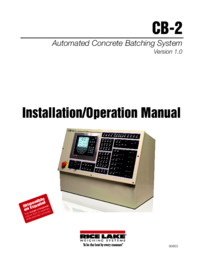
Rice lake CB-2 Concrete Batch Controller Version 1.0 Manuale Utente (60 pagine)
Marchio: Rice-lake | Categoria: Scales | Dimensione: 9.54 MB |
Indice
Più prodotti e manuali per Bilance Rice Lake
| Modelli | Tipo di Documento |
|---|---|
| CB-2 Concrete Batch Controller Version 2.0 |
Manuale Utente
Rice Lake CB-2 Concrete Batch Controller Version 2.0 User Manual,
91 pagine
|
| Chair Scales |
Manuale Utente
Rice Lake Chair Scales User Manual,
32 pagine
|
| Static Weighing |
Manuale Utente
Rice Lake Static Weighing User Manual,
78 pagine
|
| CLS-420 Cargo Lift Scale - Bluetooth Option |
Manuale Utente
Rice Lake CLS-420 Cargo Lift Scale - Bluetooth Option User Manual,
6 pagine
|
| CLS-420 Cargo Lift Scale Installation Manual |
Manuale Utente
Rice Lake CLS-420 Cargo Lift Scale Installation Manual User Manual,
66 pagine
|
| CLS-420 Cargo Lift Scale Operator Card |
Manuale Utente
Rice Lake CLS-420 Cargo Lift Scale Operator Card User Manual,
2 pagine
|
| CLS-420/420Plus WLAN |
Manuale Utente
Rice Lake CLS-420/420Plus WLAN User Manual,
8 pagine
|
| Lift Truck/Pallet Jack Scales - CLS-Series |
Manuale Utente
Rice Lake Lift Truck/Pallet Jack Scales - CLS-Series User Manual,
46 pagine
|
| CLS-920 WLAN Option |
Manuale Utente
Rice Lake CLS-920 WLAN Option User Manual,
14 pagine
|
| CLS-920i Cargo Lift Scale Daily Operator Card |
Manuale Utente
Rice Lake CLS-920i Cargo Lift Scale Daily Operator Card User Manual,
7 pagine
|
| CLS-920i Cargo Lift Scale Installation Manual |
Manuale Utente
Rice Lake CLS-920i Cargo Lift Scale Installation Manual User Manual,
98 pagine
|
| Coil Scale RoughDeck CS |
Manuale Utente
Rice Lake Coil Scale RoughDeck CS User Manual,
15 pagine
|
| Coin Counting Scales |
Manuale Utente
Rice Lake Coin Counting Scales User Manual,
2 pagine
|
| Retail Scales - MajorSlice 300M |
Manuale Utente
Rice Lake Retail Scales - MajorSlice 300M User Manual,
30 pagine
|
| Retail Scales - MajorSlice 350A |
Manuale Utente
Rice Lake Retail Scales - MajorSlice 350A User Manual,
37 pagine
|
| Retail Scales - MajorSlice 350M |
Manuale Utente
Rice Lake Retail Scales - MajorSlice 350M User Manual,
32 pagine
|
| Food Equipment - Rice Lake MajorSlice Deli Slicer |
Manuale Utente
Rice Lake Food Equipment - Rice Lake MajorSlice Deli Slicer M300 Cleaning Placard User Manual,
2 pagine
|
| Retail Scales - Rice Lake MajorSlice Series Deli S |
Manuale Utente
Rice Lake Retail Scales - Rice Lake MajorSlice Series Deli Slicer Safety Placard User Manual,
1 pagine
|
| Condec 3030 |
Manuale Utente
Rice Lake Condec 3030 User Manual,
46 pagine
|
| Contego-Hygienic Weigh Module Kits, Lateral Cable |
Manuale Utente
  Rice Lake Contego-Hygienic Weigh Module Kits, Lateral Cable Outlet User Manual,
96 pagine
Rice Lake Contego-Hygienic Weigh Module Kits, Lateral Cable Outlet User Manual,
96 pagine
|
© 2020, manymanuals.it. Tutti i diritti riservati | 0.047 s |
 Manymanuals.com
 Manymanuals.de
 Manymanuals.fr
 Manymanuals.it
 Manymanuals.pl
 Manymanuals.cz
 Manymanuals.es
 Manymanuals-pt.com
Commenti su questo manuale